Connect your content
Start with documents or a SharePoint library. Bring a useful collection of knowledge into Citeglade.


For operations teams
Help your team answer recurring questions about policies and procedures. Ask about your documents and SharePoint libraries, then follow citations to check the original source.
Data privacy & GDPRWho needs to approve a €370 purchase?
Both the team lead and the finance controller must approve it.
EUR 0 through EUR 320, inclusive | team lead
More than EUR 320 | team lead and finance controller
See it for yourself
How it works
Start with documents or a SharePoint library. Bring a useful collection of knowledge into Citeglade.
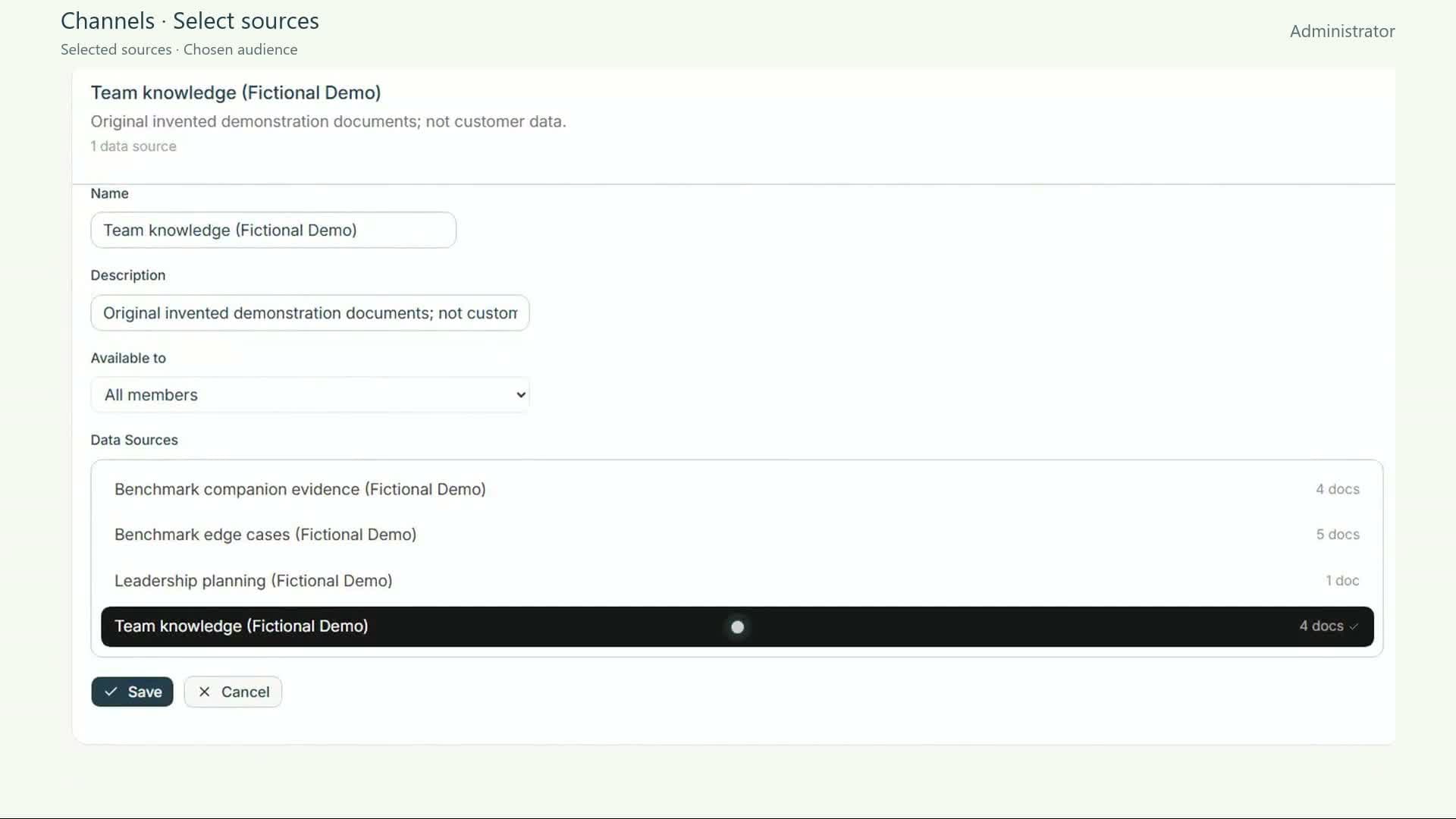
Choose its sources and who can see it. Channels can be open to all organisation members or restricted to administrators.
Ask in everyday language, inspect citations, and follow up when you need more detail.
Made for everyday questions
Keep the useful parts of a conversation connected: the question, the answer, and the material behind it.
Upload documents or connect a SharePoint library, then choose which sources your team uses.
Move from an answer to its citations. Open the source passage and check the detail in context.
Ask a follow-up in the same conversation, then summarise the key points and questions still open.
Create a channel for a topic, such as purchasing or onboarding, and choose the sources it uses.
Add approved acronyms and terms to your organisation’s glossary. For example, a construction team can define RFI as request for information, so a question using RFI also searches for the full term.
A place for each conversation
Connect your sources
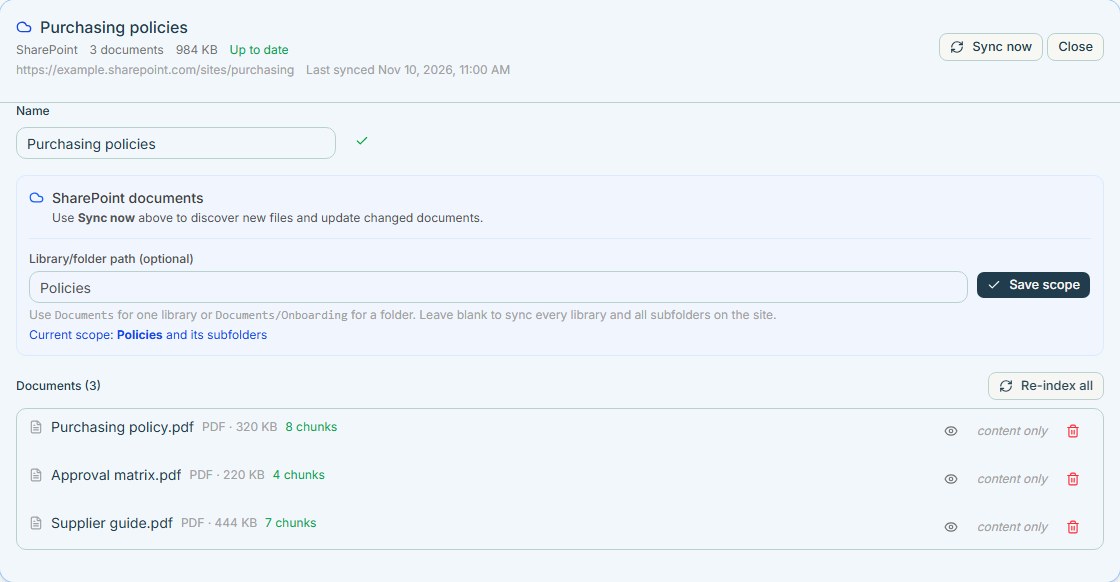
Choose a library or folder, sync supported documents and use them in a channel alongside your uploaded files.
Select content everyone in the channel is allowed to read. Citeglade does not automatically copy individual SharePoint permissions. Read about access and data.
Where it can help
Illustrative scenarios for everyday work. Your demo can start with the questions that matter to your team.
Policies & procedures
Find the relevant guidance and check the conditions in the original policy.
Purchasing & approvals
Bring requirements from several documents together, then inspect the approval rules.
Employee onboarding
Help new colleagues explore shared guidance and ask follow-up questions as they learn.
For IT & knowledge leaders
Give your knowledge structure, and make deliberate choices about what is shared.
Invite colleagues and assign administrator or member roles.
Make channels available to organisation members or administrators only, using selected sources.
SharePoint permissions are not automatically mirrored for individual users. Include only content everyone in a channel may read.
A few useful details
You can upload documents and connect SharePoint libraries. We’ll show how this works with fictional documents and discuss which sources would be useful for your team.
Answers can include citations linking to supporting passages. Open a citation to inspect the evidence in context. AI answers still need human judgement, especially for important decisions.
Administrators select the sources in each channel and make the channel available to all organisation members or administrators only. SharePoint permissions are not automatically reproduced for each individual user: select content everyone in the channel is allowed to read.
Citeglade can indicate when the available material does not cover a question. Check the cited evidence and use your usual review process where information is incomplete.
We’ll arrange a walkthrough using fictional documents and discuss your team’s needs and pricing. If you’d like to try Citeglade with your own files, we can also discuss whether a trial is suitable and agree on the details before you begin.
Start with a conversation
Bring a question your team regularly asks.
We’ll show how Citeglade works with fictional documents.